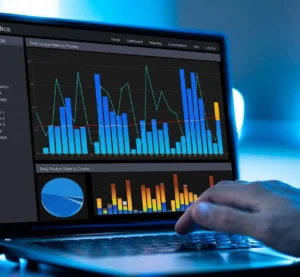
This course equips participants with the advanced skills required to design, develop, and manage powerful business reports and dashboards that drive strategic decision-making. It covers advanced reporting techniques, data visualization best practices, dashboard automation, and storytelling with data. Participants will gain practical knowledge of tools such as Power BI, Tableau, and Excel, enabling them to transform raw data into meaningful insights and actionable business intelligence.
Target Groups
- Business intelligence professionals
- Data analysts and reporting specialists
- Finance and accounting teams
- Operations and performance managers
- IT and MIS reporting staff
- Consultants and advisors in data-driven decision-making
- Students and professionals aspiring to BI and analytics careers
Course Objectives
By the end of this course, participants will be able to:
- Understand principles of effective reporting and dashboard design.
- Apply advanced techniques to create interactive dashboards.
- Use automation to streamline reporting processes.
- Incorporate data storytelling to improve communication of insights.
- Integrate multiple data sources into unified dashboards.
- Leverage advanced Excel, Power BI, and Tableau features for reporting.
- Customize reports for different stakeholders.
- Apply visualization best practices for clarity and impact.
- Monitor KPIs and business performance with dynamic dashboards.
- Build scalable reporting systems for organizational use.
Course Modules
Module 1: Fundamentals of Advanced Reporting
- Role of reports and dashboards in decision-making
- Characteristics of effective reports
- Advanced reporting frameworks and structures
- Common pitfalls in reporting and how to avoid them
Module 2: Dashboard Design Principles
- Essential elements of an effective dashboard
- Balancing simplicity and detail in design
- User-centered design for reporting interfaces
- Data visualization and layout best practices
Module 3: Data Integration & Preparation
- Connecting multiple data sources (databases, APIs, spreadsheets)
- Data cleaning and transformation techniques
- Automating ETL (Extract, Transform, Load) processes
- Ensuring data quality and consistency
Module 4: Advanced Excel Reporting
- Pivot tables, Power Query, and Power Pivot
- Dynamic charts and interactive reports
- Automating reporting with macros and VBA
- Building Excel-based dashboards
Module 5: Power BI for Advanced Reporting
- Creating interactive dashboards with Power BI
- DAX functions for advanced calculations
- Power BI service and sharing dashboards
- Embedding Power BI into enterprise workflows
Module 6: Tableau for Data Visualization
- Advanced Tableau charting techniques
- Interactive filters, parameters, and drilldowns
- Storytelling with Tableau dashboards
- Publishing and sharing Tableau reports
Module 7: KPI Development & Monitoring
- Identifying and defining critical KPIs
- Linking KPIs to strategic objectives
- Designing KPI scorecards and dashboards
- Automating KPI tracking and alerts
Module 8: Automation in Reporting
- Automating data refresh and distribution
- Scheduling reports and dashboard updates
- Using scripts and APIs for automation
- Reducing manual effort in reporting workflows
Module 9: Storytelling with Data
- Turning numbers into compelling insights
- Using visuals to communicate business stories
- Tailoring reports to executive vs. operational audiences
- Case studies in effective data storytelling
Module 10: Capstone Project & Best Practices
- Real-world reporting and dashboard case studies
- Group project: build an advanced dashboard from raw data
- Peer review and presentation of dashboards
- Best practices for scalable reporting solutions