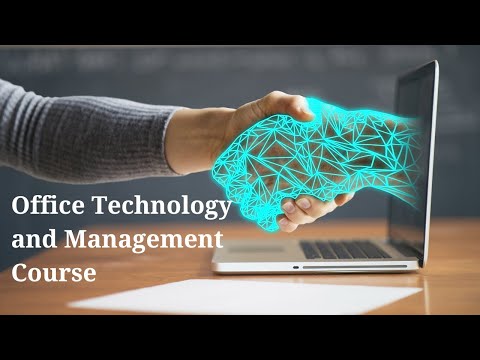
This course equips participants with the practical skills required to effectively use modern office technologies and digital tools to improve productivity, communication, and workflow efficiency. It focuses on essential office software, collaboration platforms, document management systems, and digital productivity tools used in contemporary workplaces. Participants will gain hands-on knowledge to streamline office operations and enhance digital competence in professional environments.
Target Groups
- Office administrators and secretaries
- Executive assistants and personal assistants
- Front office and reception staff
- Human resource and finance staff
- Project and program coordinators
- Customer service and support staff
- Managers and supervisors
- Students and job seekers preparing for office roles
Course Objectives
By the end of this course, participants will be able to:
- Understand key office technologies used in modern workplaces
- Use word processing, spreadsheets, and presentation tools effectively
- Apply digital tools to improve office productivity
- Manage electronic documents and files efficiently
- Communicate using digital collaboration platforms
- Automate basic office tasks using digital tools
- Improve data organization and reporting skills
- Enhance workflow efficiency through technology
- Maintain digital professionalism and security awareness
- Adapt to emerging office technologies
Course Modules
Module 1: Introduction to Office Technology
- Overview of modern office environments
- Role of technology in office productivity
- Types of office technologies and tools
- Digital transformation in workplaces
- Benefits of using digital office systems
Module 2: Word Processing and Document Creation
- Introduction to Microsoft Word
- Creating and formatting professional documents
- Using templates and styles
- Document editing and collaboration features
- Saving, exporting, and sharing documents
Module 3: Spreadsheets and Data Management
- Introduction to Microsoft Excel
- Data entry and organization techniques
- Formulas and basic calculations
- Charts and data visualization
- Managing lists and reports
Module 4: Presentation and Communication Tools
- Creating professional presentations using Microsoft PowerPoint
- Designing slides effectively
- Using visuals, charts, and animations
- Delivering impactful presentations
- Public speaking and presentation tips
Module 5: Email and Digital Communication
- Professional email writing and etiquette
- Managing inboxes effectively
- Scheduling and calendar management
- Digital communication best practices
- Avoiding communication errors
Module 6: Collaboration and Cloud-Based Tools
- Introduction to Google Workspace
- Real-time collaboration on documents
- File sharing and access control
- Team communication tools
- Remote work collaboration techniques
Module 7: Document and File Management Systems
- Organizing digital files and folders
- Cloud storage solutions
- Version control and document tracking
- Archiving and retrieval systems
- Data backup practices
Module 8: Office Automation and Productivity Tools
- Task management applications
- Scheduling and workflow automation tools
- Basic use of productivity apps
- Reducing repetitive tasks through automation
- Improving efficiency in daily operations
Module 9: Digital Security and Professionalism
- Cybersecurity awareness in the workplace
- Password management and data protection
- Safe use of digital tools and platforms
- Avoiding phishing and scams
- Maintaining digital professionalism
Module 10: Capstone Project and Practical Application
- Real-world office task simulations
- Creating documents, spreadsheets, and presentations
- Group collaboration using digital tools
- Case studies on digital workplace efficiency
- Emerging trends in office technology, including AI-powered productivity tools, smart office systems, and advanced workplace automation platforms